MEAT & FOOD PROCESSING
Receive Cold Product.
Leave the Clipboard Behind.
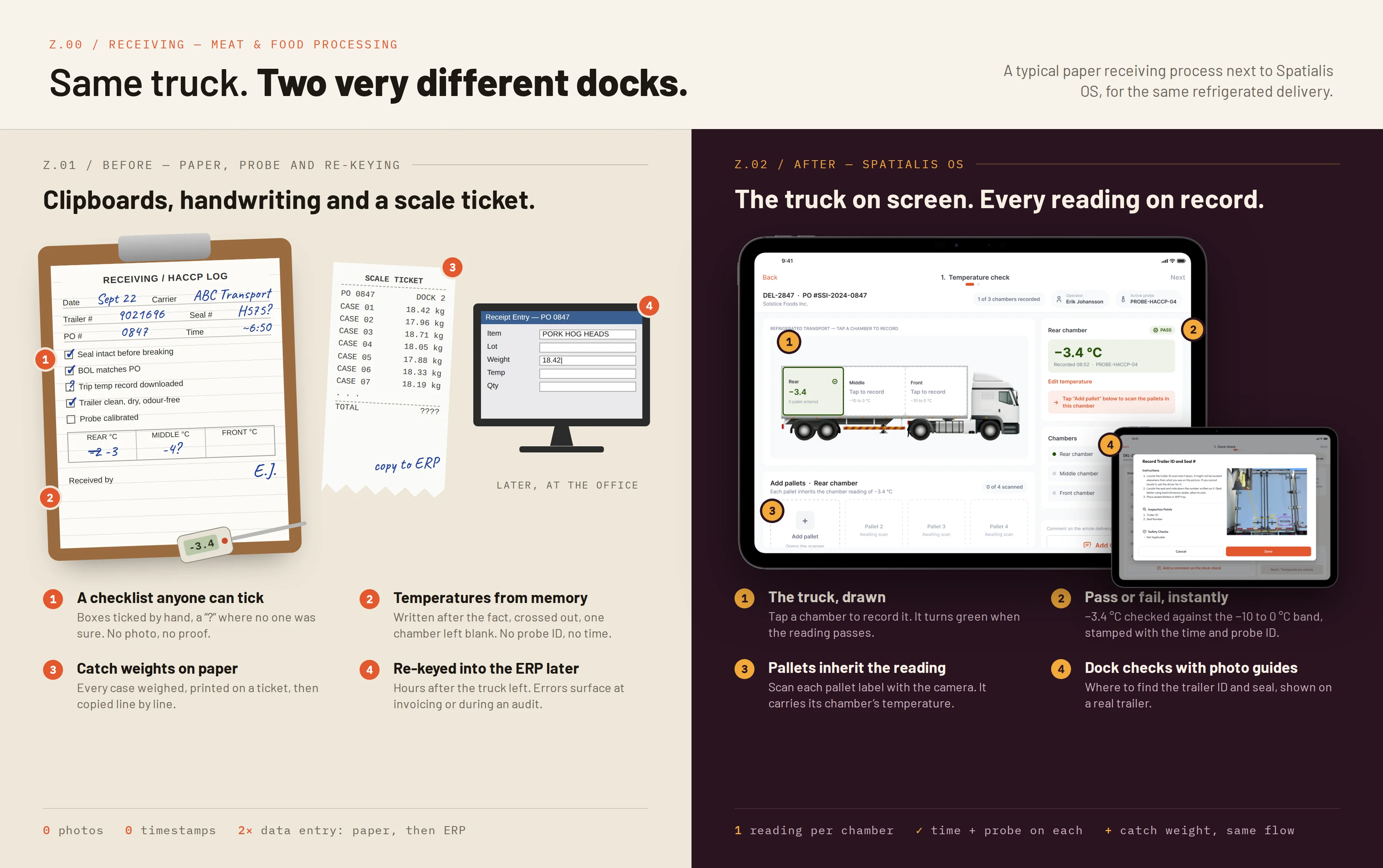
Meat and food processors receive refrigerated product under HACCP: the seal is checked, every chamber is probed and every case is weighed. On most docks that still happens on paper, and someone types it into the ERP later.
Spatialis OS turns receiving into a guided, visual flow on a tablet or phone. Every check, temperature, pallet and weight is captured once, at the dock, with who recorded it, when, and with which probe.
Receiving: Before and After
RECEIVING
How receiving works in Spatialis OS
One delivery, start to finish. Each step unlocks the next.
01
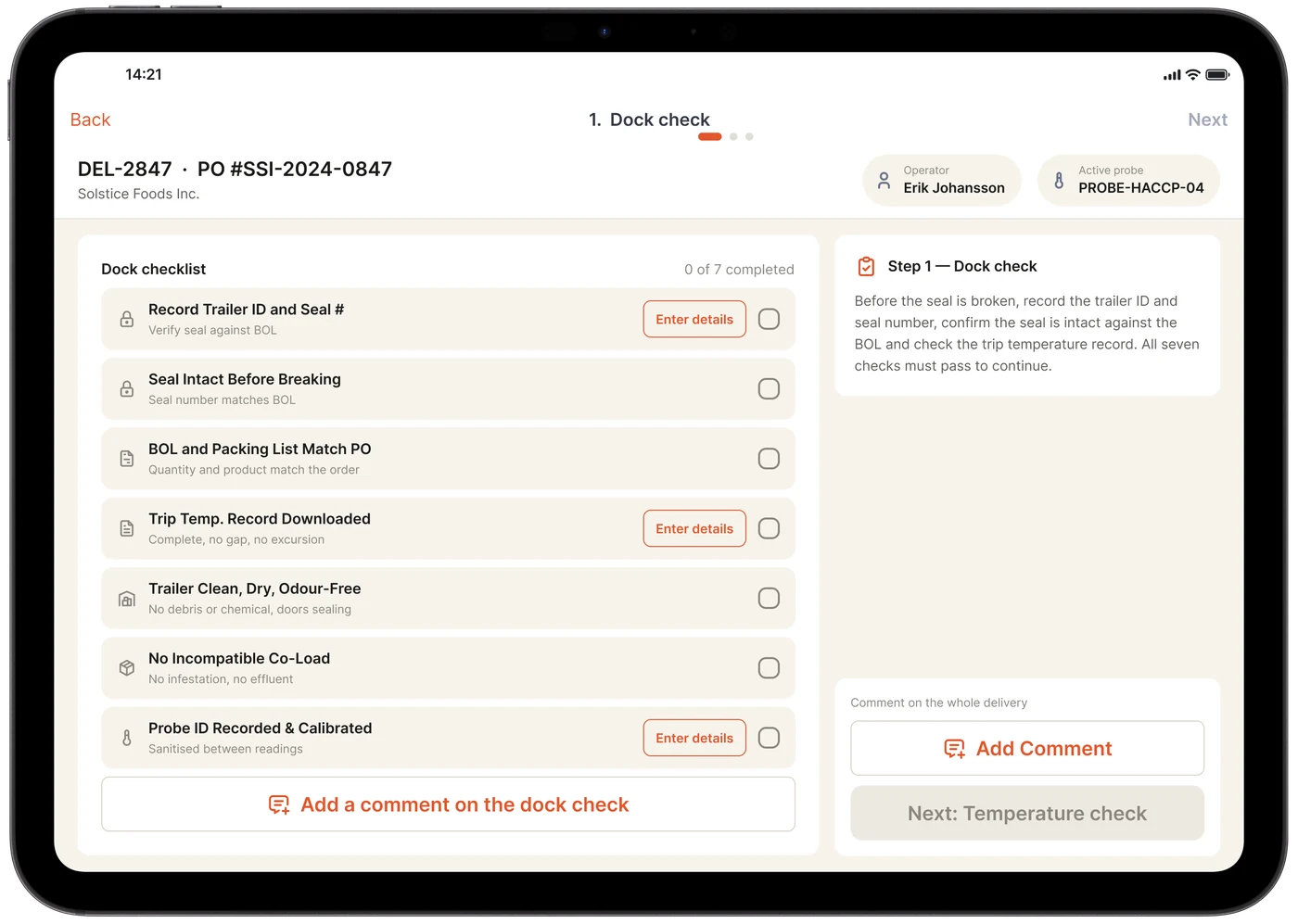
Dock check before the seal is broken
Seven checks: trailer ID and seal number, seal intact, BOL and packing list against the PO, trip temperature record, trailer condition, co-load and probe calibration. The next step stays locked until every check passes.
02
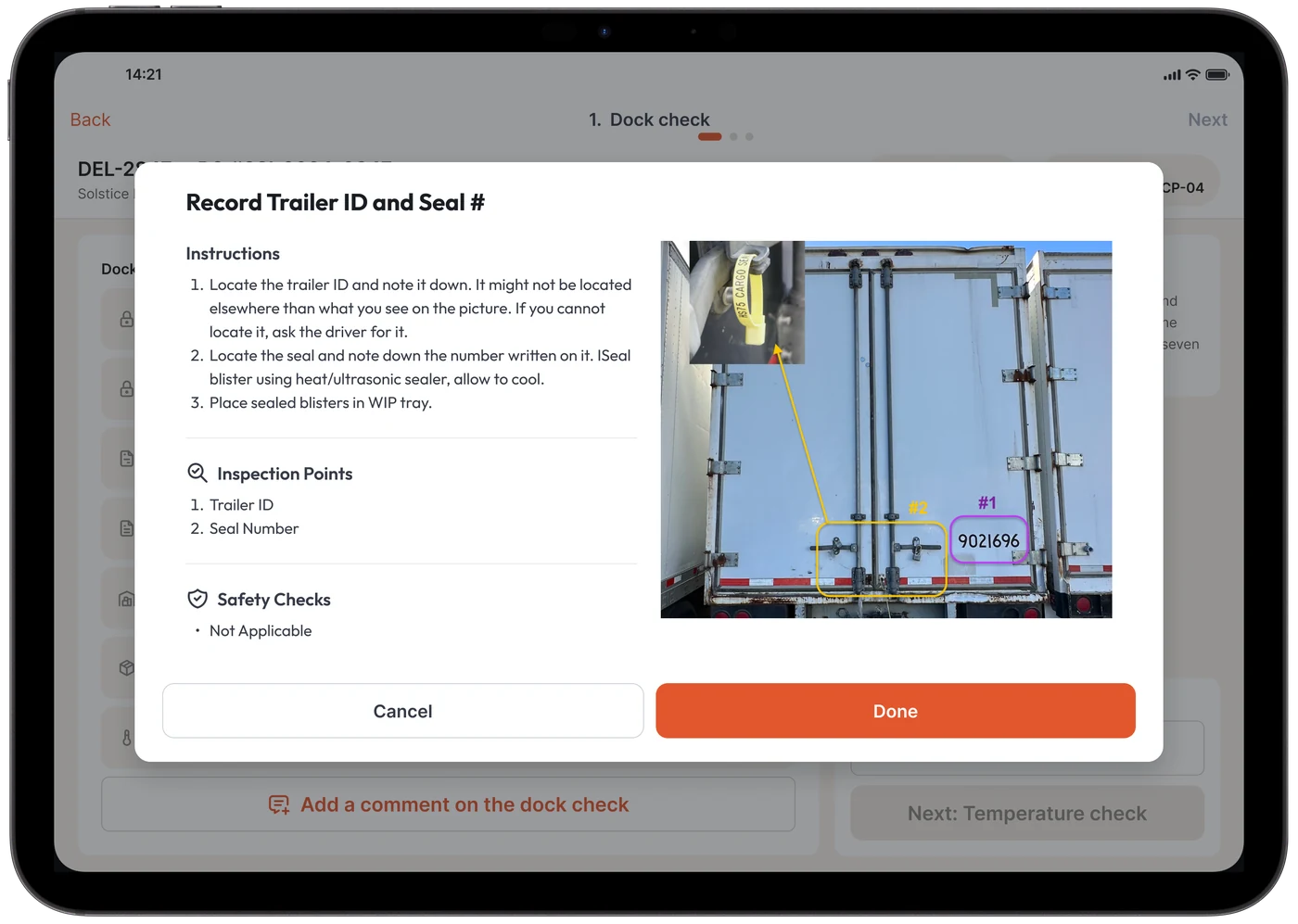
Instructions with a photo, not a binder
Each check opens its own instructions, with a photo of a real trailer showing where to find the trailer ID and the seal. New staff do it right the first time.
03
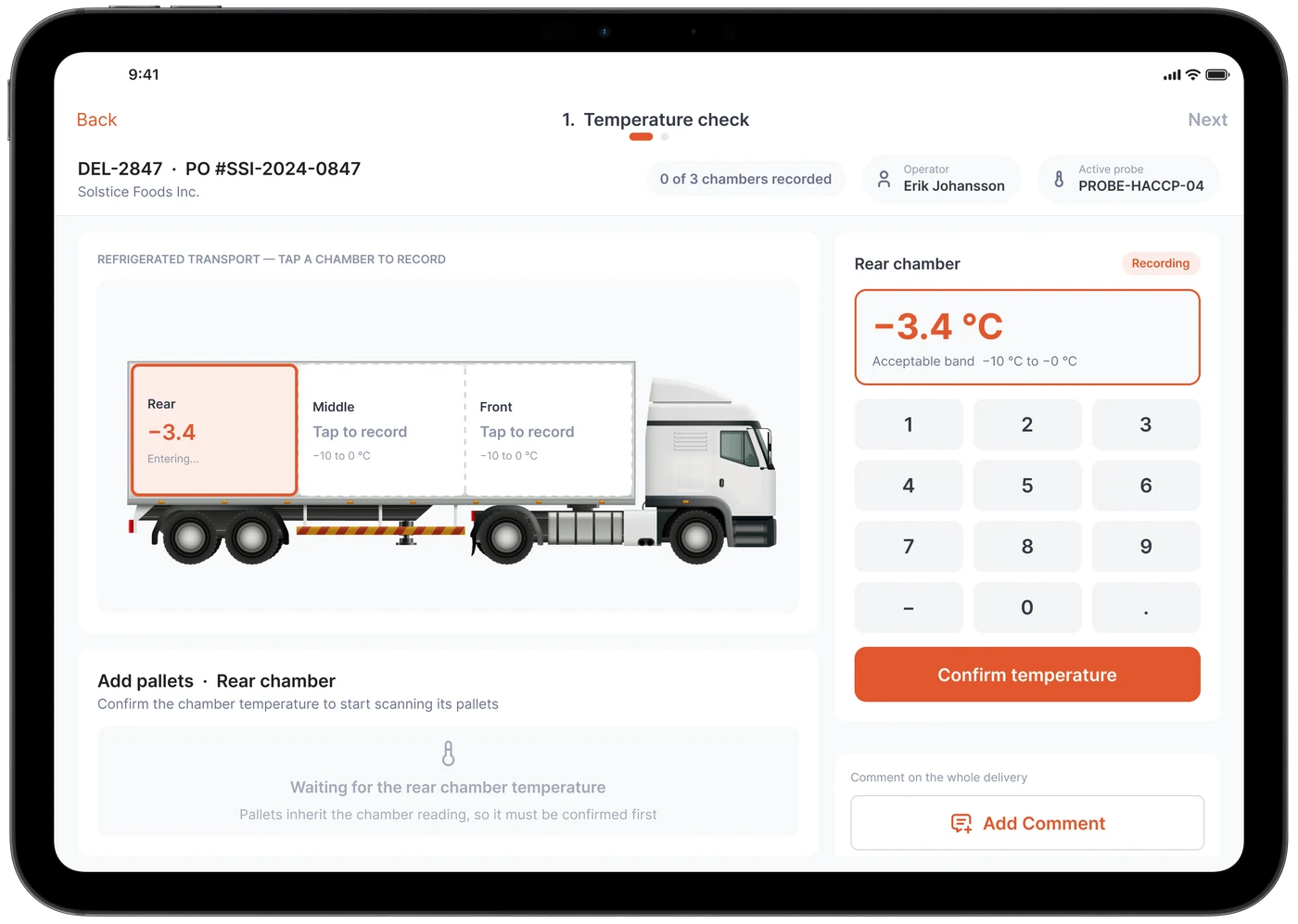
Temperature, chamber by chamber
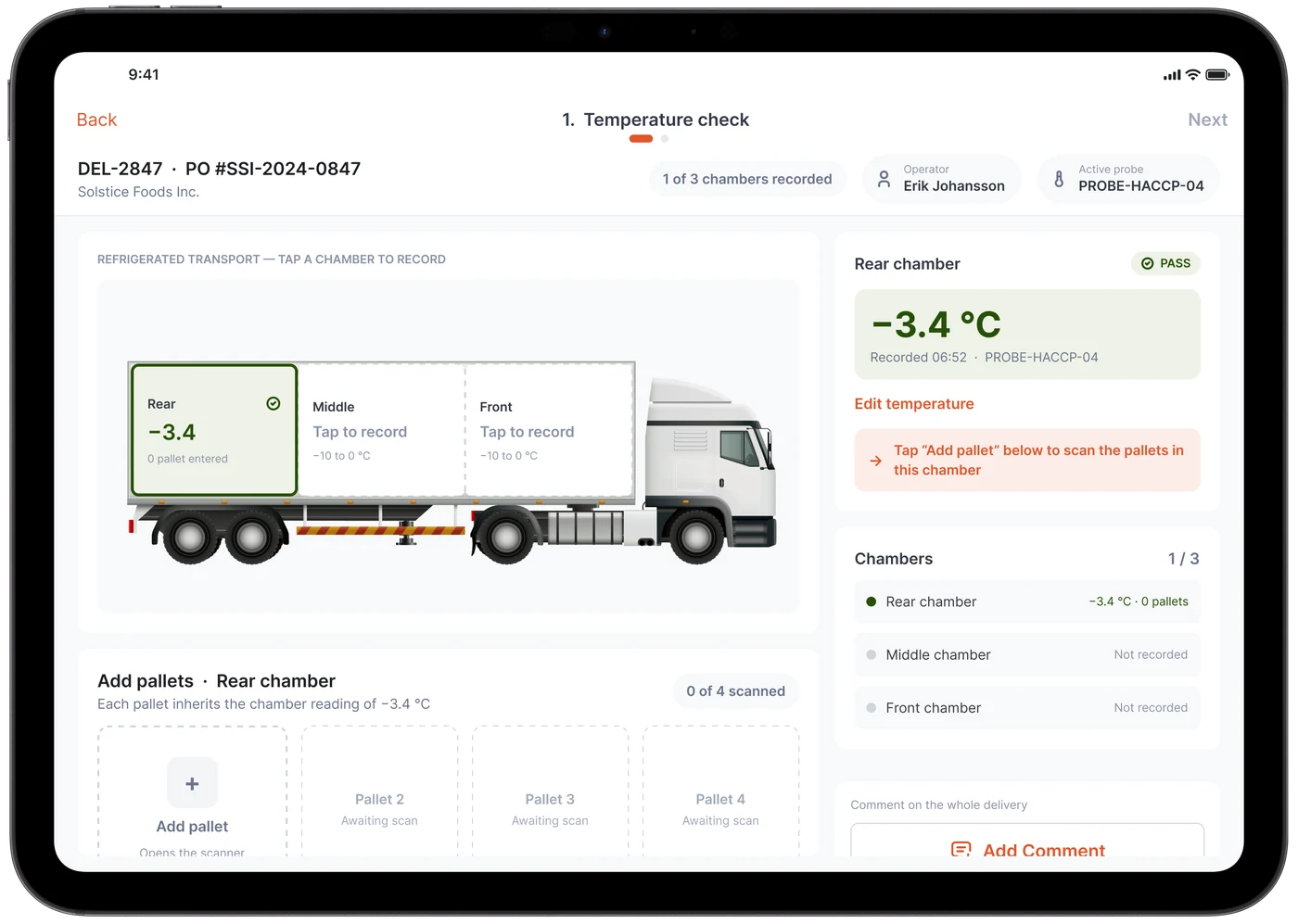
The truck is drawn on screen. Tap the rear, middle or front chamber and enter the probe reading; the acceptable band is shown as you type.
04
Pass or fail, on the spot
The reading is checked against the band and stamped with the time and probe ID. The chamber turns green on the truck, and the list shows which chambers are still to do.
05
Pallets inherit the reading
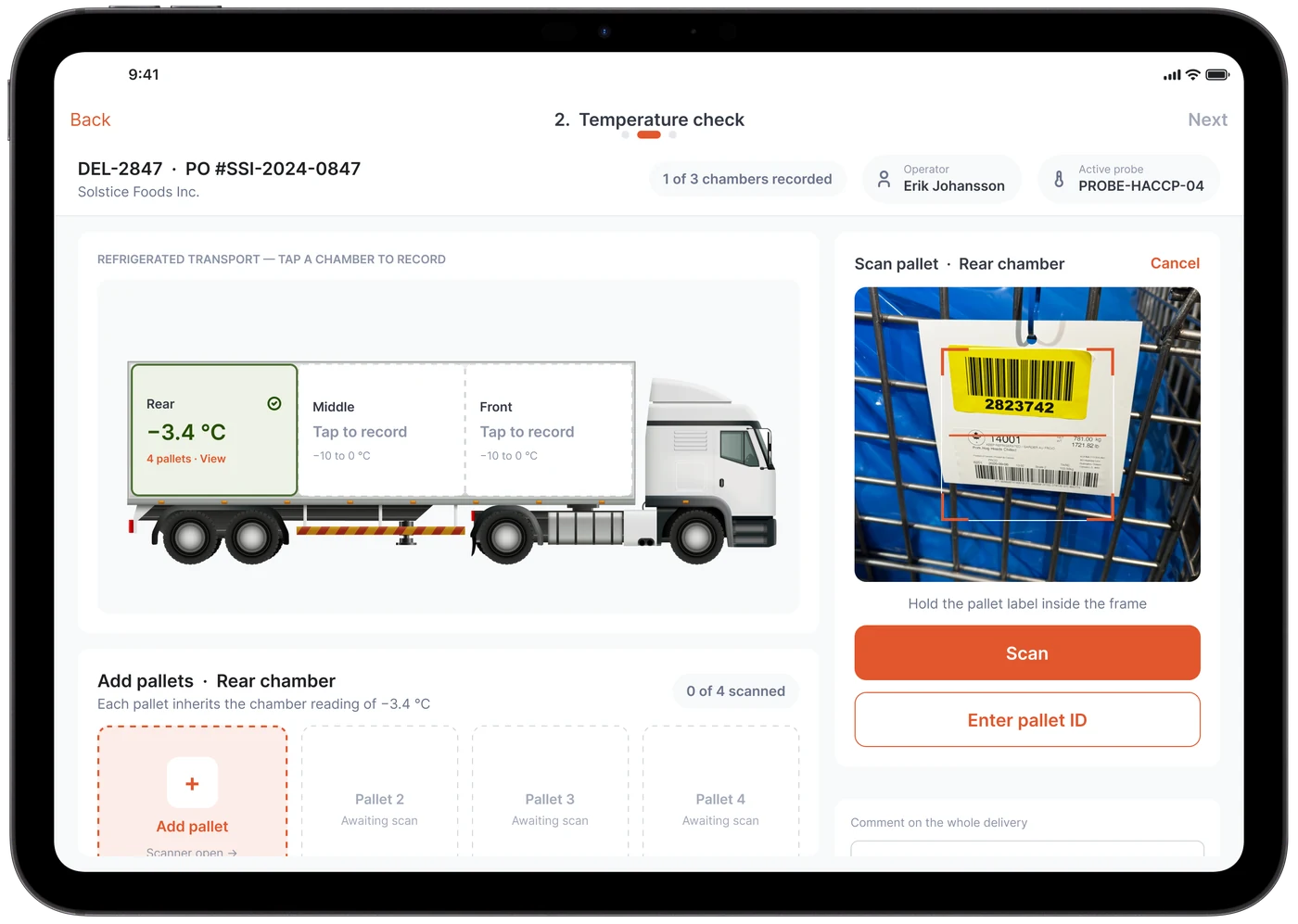
Scan each pallet label with the device camera, or type the ID. Every pallet carries its chamber’s temperature into inventory, so traceability starts at the dock.
06
Catch weight, in the same flow
Record the actual weight of each case or pallet as it is received, instead of a nominal one. Real weights go straight to inventory and invoicing, with no scale ticket to copy.
TRACEABILITY
A receiving record you can show an auditor
Every delivery leaves a complete record, captured at the dock instead of reconstructed from paper afterwards.
Who, when, which probe, which chamber, which pallet.
- Operator and time on every entry
- Each check and reading is tied to the person who recorded it and the moment it was recorded.
- Probe ID on every temperature
- The active probe is shown throughout the flow and saved with each reading, alongside the calibration check.
- Chamber-to-pallet traceability
- Each pallet is linked to the chamber it came from and that chamber’s reading.
- Comments where they belong
- Add a comment to the dock check or to the whole delivery, so exceptions are explained in the record rather than in the margin.
FAQ
Questions about meat & food processing.
01Does this replace our paper receiving log?
That is what it is built for. The dock check, chamber temperatures, pallet scans and catch weights are captured in Spatialis OS at the dock, with the operator, time and probe ID on each entry, so the record is digital from the start instead of typed in later.
02Is it only for meat?
No. The same receiving flow fits any refrigerated or frozen product: poultry, seafood, dairy, prepared foods and ingredients.
03What devices does it run on?
The screens shown here run on a tablet. Spatialis OS runs natively on the iOS and Android phones and tablets you already own, and scans labels with the device camera, so there are no rugged scanners to buy.
04How does catch weight fit into receiving?
Each case or pallet is received at its actual weight rather than a nominal one, in the same flow as the temperature check and pallet scan. Inventory and invoicing then work from real weights.
See the rest of the platform: Catch Weight and LabelStudio → or Yard & Dock →